
A new setting for your subject.
Move a product to a clean studio backdrop or give a scene a different mood. Describe the setting you want to create.
Your session has been flagged for unusual activity.
Please confirm you're human to continue.
AI IMAGE STUDIO
Image Studio is the AI image editor in MultipleChat: upload an image, describe the change in plain words, and GPT Image or Gemini Flash edits it. Ask for a new color, a different setting, or a whole new style.
Pro or Smart plan required. View plans and image allowances
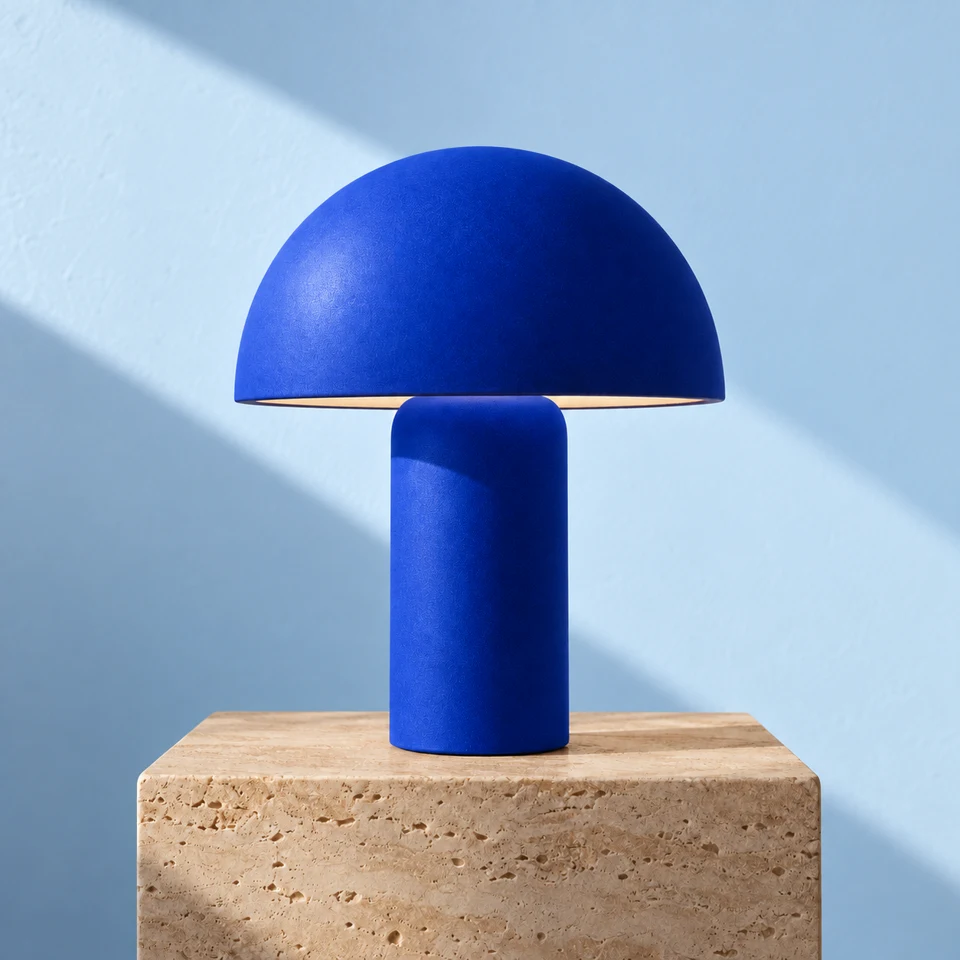
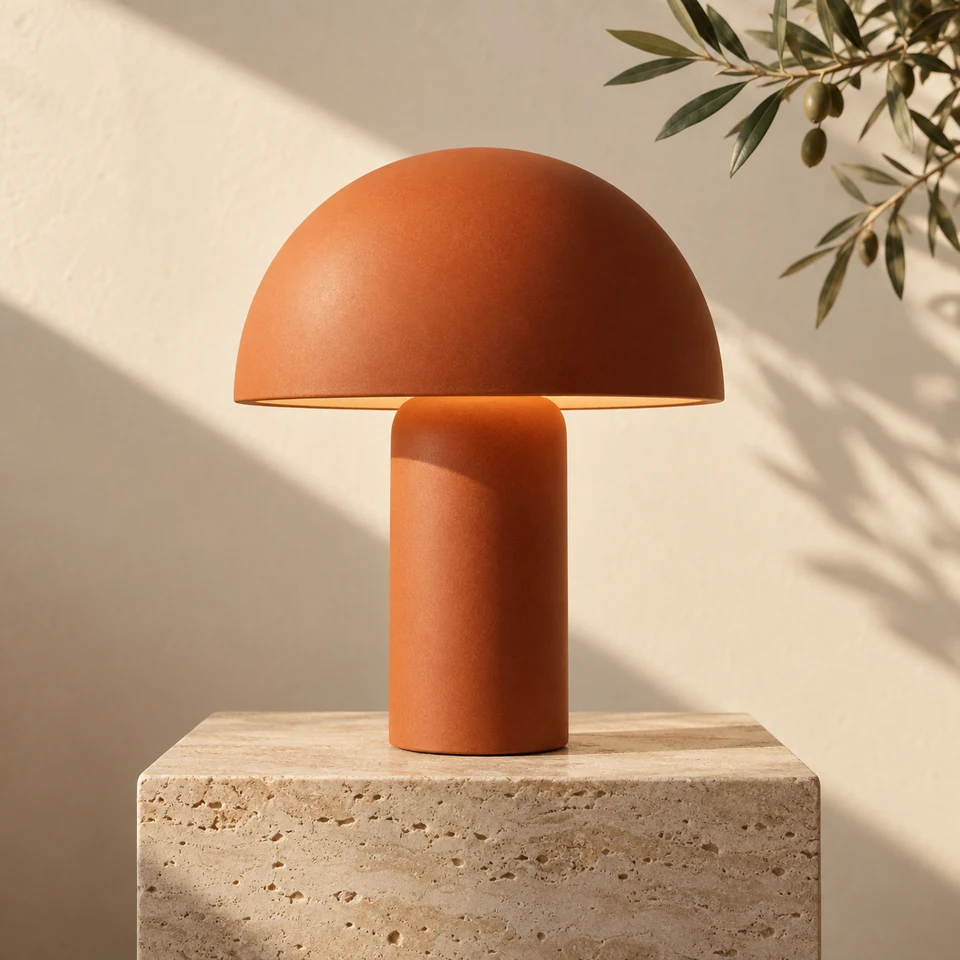 OriginalReimagined
THE CREATIVE DIRECTION“Make the lamp cobalt blue. Give it a pale blue backdrop.”
SMALL CHANGES. NEW POSSIBILITIES.
A product shot, a presentation visual, a fresh social post. Start from an existing image and give it another purpose.
Move a product to a clean studio backdrop or give a scene a different mood. Describe the setting you want to create.
Explore a different palette or turn a photo into an illustration. Tell the AI what to change and what to keep.
Remove the background with a dedicated action. Download a transparent PNG for your next design or presentation.
YOU BRING THE DIRECTION
Start with one clear change. Tell the AI which details to preserve, then review the result before your next edit.
Try these instructions with an image of your own.
Replace the background with a warm off-white studio setting and a soft natural shadow. Keep the product’s shape, color, proportions, and label unchanged.
Ready to make it your own.
FROM YOUR IMAGE TO YOUR VISION
Upload a photo or graphic in PNG, JPG, or WEBP. Start with a clear image for a useful result.
Choose GPT Image or Gemini Flash and write your instruction, or use Remove Background. Be clear about what you want to preserve.
Compare your original with the edit in the AI image editor. Check the details, then save the result when it works for you.
TWO TOOLS, ONE WORKSPACE
Use Image Studio when you already have the picture. Use Image Generator when you are starting from a text prompt.
| Image Studio | Image Generator | |
|---|---|---|
| Starts from | An image you upload (PNG, JPG, or WEBP) | A text prompt |
| Models | GPT Image or Gemini Flash, plus Remove Background | GPT Image, Nano Banana, Nano Banana Pro, Ideogram, Leonardo, SD3 |
| Best for | New colors, backgrounds, settings or styles for an existing photo; transparent cut-outs | New visuals from scratch, comparing several models’ takes on one prompt |
| Result | An edited version you compare with the original | New images, side by side |
Image Studio is a workspace for editing images you already have. Upload a photo or graphic, describe the change you want, and review the edited result. You can also remove a background with a dedicated action.
Choose GPT Image from OpenAI or Gemini Flash from Google for instruction-based image edits. Select your editing model in Image Studio and review the token cost before running an edit. Background removal is a separate action.
You can ask for changes to colors, backgrounds, visual style, or elements in a scene. Be specific about what should change and what should stay the same. Review the result, as AI edits can also change details you wanted to preserve.
Yes. Use Remove Background to isolate your subject and download a transparent PNG. It works best with a clearly defined subject.
Upload PNG, JPG, or WEBP files up to 10 MB. Check the app for dimension limits. Use PNG when you need to preserve transparency in a background-removed result.
Yes, in the image-to-image sense. Image Studio starts from an image you upload and creates an edited version from your instruction, such as a new color, setting or style. To create images from a text prompt alone, use Image Generator.
Yes. Image Studio edits images you upload. Image Generator creates new images from text prompts and lets you explore different image models. Both are part of the MultipleChat workspace.
AI image editing requires an active Pro or Smart plan, including corresponding team plans, and available tokens. Usage depends on the action and model. Review the token cost in the app before editing.
A FRESH TAKE STARTS HERE
Image tools use your plan’s image allowance. Compare plans